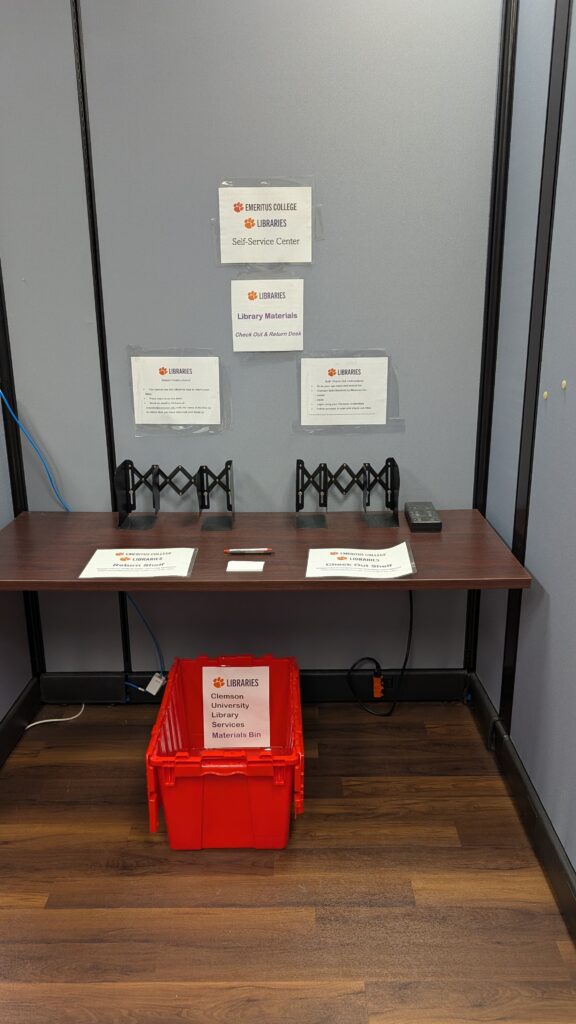
Instructions to Obtain Clemson Self Check Out Application
The Emeritus College is a book pick up/drop off hub for University Libraries. Today, we set up access to self-checkout. Therefore, you may use your ID to enter the Regulatory Building, go to the Library Self-Service desk in the Emeritus College suite, pick up your book, and scan the Clemson Library barcode to check out your book. This change allows you to pick up a book while staff is not in the office. You must have Clemson Libraries Meescan application which you may download onto your device from your Google or Apple store.
If you drop off a book, send me a quick email to let me know.
General Help Guides
Watch Video for Instructions:
https://clemson.app.box.com/s/atek862fdztixgrrlhes8ld3hwyzq88z
Read Directions to Order Materials Online
https://drive.google.com/file/d/1ppQUO3ucED-nEdVTdwgQ1p_fDaPp57cq/view?usp=sharing
We hope this makes life a little easier for you! If you have any questions, please ask!