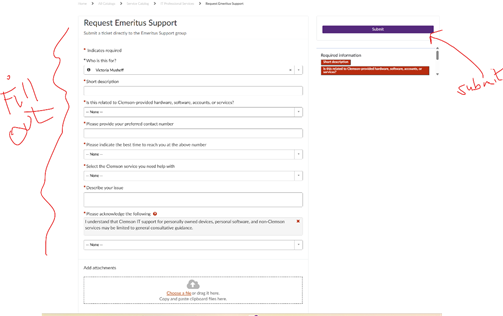
If a member of the Emeritus College needs IT support, there is a new method to reach our IT Consultants.
Click on this link: Request for Emeritus Support and login in with your Clemson credentials. [If you do not already have the Duo Application on your phone for login, please call the IT Help Desk for assistance on obtaining the Duo Application.] Complete the form. Click on the Submit Button (right side of screen).
Or,
You can also find the form by:
- Go to https://tigerhub.clemson.edu
- Log in with your Clemson credentials
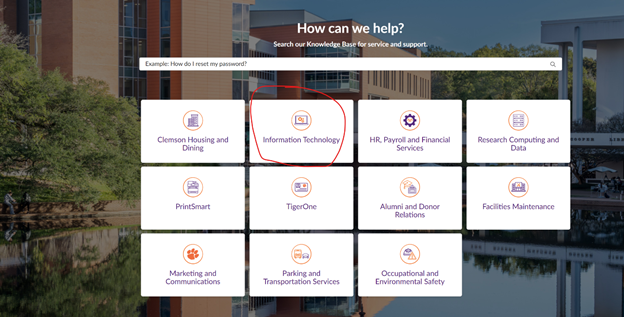
- Click on Information Technology
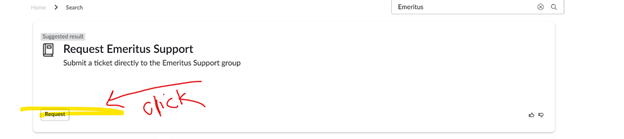
- In the search bar under Need IT Help: Type: emeritus
- Click the Request button (lower lefthand corner)
- Fill out the request form and submit
Click on Information Technology
Type in “Emeritus” and enter

Click on Request button lower lefthand
Complete the form and click on submit