Mark your calendar for Dr. Becky Becker’s Ten-Minute Play Writing Workshop on Tuesday, October 27, 2026, 10:00 am – 11:30 am, Hybrid. After plays are submitted, five will be selected to be performed in February at Patrick Square. The play contest is open to others (beyond members of the Emeritus College). Those who write the selected plays do not direct or act or select directors or actors. We hope you will genuinely enjoy this writing workshop!
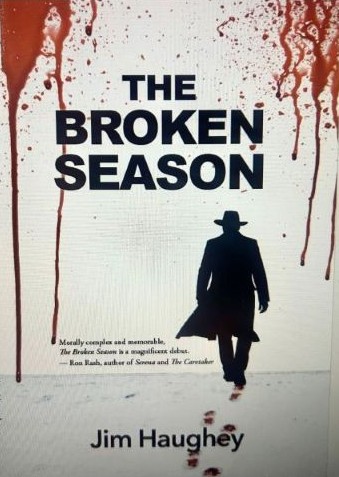
September 25, 2026, (Friday), 11:00 am, On Zoom and In person, Lunch and Presentation, The Broken Season: A Tale of Murder and Mystery in the Blue Ridge Mountains with Dr. Jim Haughey. Eve of the Civil War, remote Appalachia, and hundreds of Irish laborers are clawing out a rail tunnel through the granite of the Blue Ridge Mountains. Blasting powder will kill some, rock falls will claim others, and drink, crime, and disease prey on the survivors in their squalid camp. Just convicted of murdering another laborer, young Michael Corvan is soon to be hanged. When Jeremiah Sweeney, a world-weary priest, arrives to give Corvan his last rites, he stumbles on a secret too dark for the condemned man to confess. Will Sweeney and his assistant get past the miners’ code of silence? Will they live to see justice done?
Or will they ever leave the mountain alive?
EMAIL emerituscollege@clemson.edu for the Zoom Link
Book Signing: books will be available for sale – $16
Complimentary Lunch
Register to enjoy a complimentary lunch at the Emeritus College while learning more about the research on the pre-Civil War Irish community that worked on Stump House Tunnel and that inspired author Jim Haughey to write his first work of fiction, The Broken Season (released July 2026).
Jim Haughey attended Clemson University on a track scholarship and doubled majored in English and History. He earned an MA in English Literature at Clemson and his PhD at the University of South Carolina. He currently teaches at Anderson University in Anderson, SC. Prior published work includes The First World War in Irish Poetry (Bucknell University Press, 2002) and essays on 20th-century Irish literature in publications like The Oxford Handbook of Modern Irish Poetry (2012).
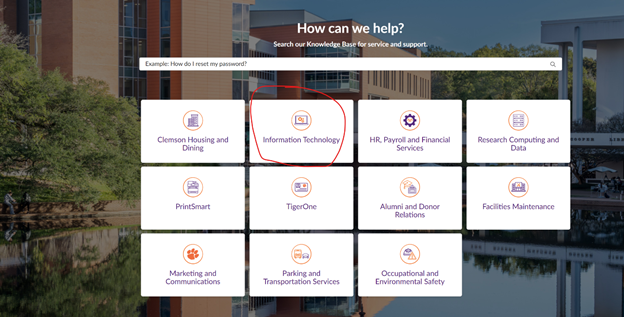
If a member of the Emeritus College needs IT support, there is a new method to reach our IT Consultants.
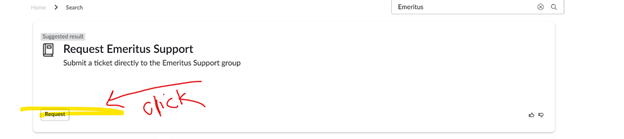
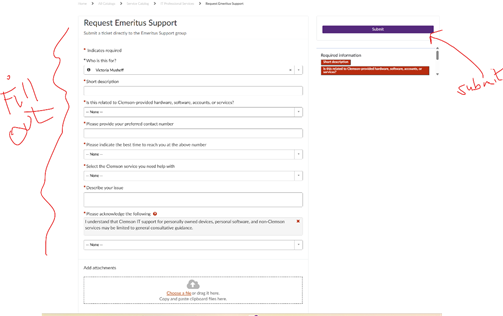
Click on this link: Request for Emeritus Support and login in with your Clemson credentials. [If you do not already have the Duo Application on your phone for login, please call the IT Help Desk for assistance on obtaining the Duo Application.] Complete the form. Click on the Submit Button (right side of screen).
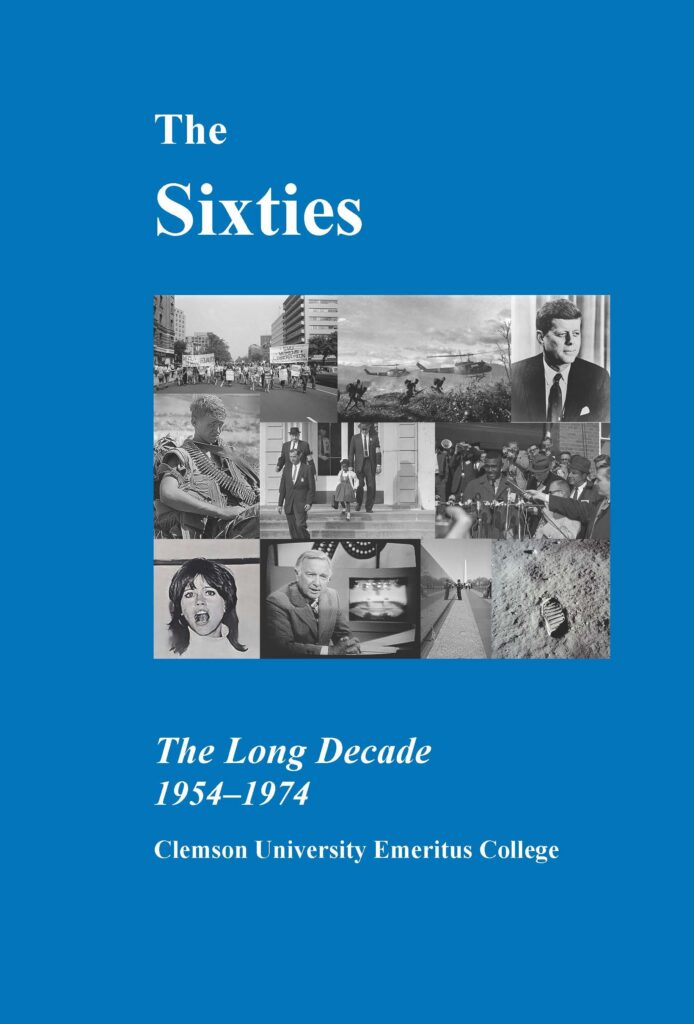
Clemson University’s emeritus faculty have published a memoir, The Sixties: The Long Decade, 1954-1974, featuring personal stories from their lives during the Sixties, and have been recognized as finalists in a prestigious national competition. Read More: https://news.clemson.edu/clemson-university-emeritus-college-book-named-a-finalist-in-independent-publishing-competition/