CCIT News and Notices

Reminders for TigerOne Mobile ID for Campus Building Access

As students, faculty and staff navigate campus, it is vital to ensure that you have added your TigerOne Mobile ID to your mobile device for successful building access. The Mobile ID makes traversing campus efficient and secure and is available for iPhone, Apple Watch, or compatible Android phones. If you have not already added your TigerOne Mobile ID to your mobile device, check out the information below to see if your device is compatible!

Apple

Apple users with both an iPhone and Apple Watch may add the TigerOne Mobile ID to both devices if they meet specific system operating requirements. To learn how to add the TigerOne Mobile ID to your Apple device(s), including device and system requirements, and how to present your ID, click here.  

Android

The TigerOne Mobile ID for Android is available for Android phones with Near Field Communication (NFC). Please ensure your device has NFC before attempting to add the TigerOne Mobile ID as the ID will not work without NFC. To determine if you have NFC on your Android device, check your “Connection Preferences” in your Settings. To learn how to add the TigerOne Mobile ID to your Android device, click here

  • Many international devices do not have NFC capability. If your device does not have NFC, you can instead request a physical card by selecting “I do not have a supported device” during the credential selection process.
  • The TigerOne Mobile ID is not available for Android watches at this time.  

How do I add my Mobile ID to a new device?

If you have obtained a new mobile device, you will need to reset your TigerOne Mobile ID and add the ID to your new device. The TigerOne Mobile ID will not automatically sync to your new device. To reset your TigerOne Mobile ID, click here. After resetting, you can add the Mobile ID to your new device by following the instructions linked above. 

For general information or helpful reminders about loading TigerOne Mobile ID, visit the TigerOne website. Thank you for doing your part to keep Clemson secure. 

QR Code Email Scam Targeting Clemson Employees

Clemson University employees are recently reporting a new QR Code scam email. CCIT’s Security team posted a cybersecurity alert on September 19, 2023 outlining reports of an email claiming to be from Microsoft which includes a QR code listed in the body of the email. The email claims the employee’s “security authenticator” access is “expiring.” Cybercriminals are using urgency in this message, saying that non-action will lock the user’s account in 72 hours. This email’s sender address is “emma@millenniummemorycare.com.” Employees are encouraged to remain diligent and not to scan this QR code with their smartphones, as this scam seeks to move users from email to their mobile device. 

CCIT’s Security team encourages the following best practices: 

  • If you receive a suspicious email with a QR Code, use the Report Phishing button in Outlook to have the Clemson Security Operations Center review and investigate the email for you.
  • Beware of QR Code stickers in public locations. Cybercriminals often will put their own malicious sticker on top of legitimate QR Codes in parking garages, on signs, ATMs, public posters, inside local businesses, and other locations.
  • Always avoid using a QR code for doing any kind of fund or money transfer.
An edited example of the QR code scam email

QR Code Scam

Clemson employees are now seeing a QR Code Scam email like the one below claiming to be from Microsoft. It tells the user that their Security Authenticator access is expiring soon. And to avoid being locked out of their account, they need to use their phone to connect to a QR code listed in the email. But this is a scam.

A screenshot of an email with the subject: 'Action Required'. The email is from an external sender and shows a spoofed Microsoft Security Email with a malicious QR code.

There are several indicators that this email is not legitimate. One is that the sender’s email is actually “emma@millenniummemorycare.com” which is not Microsoft. There is also a sense of urgency claiming that if you don’t act within 72 hours your account will be locked. They hope you won’t be thinking clearly if you are under pressure. Additionally, they want to move the scam from email to your phone, where you are less protected.

QR Codes were created as an easy and quick way to share a website URL. Rather than having to type in a website address, users could use the camera on their cell phone to scan the QR code and then seamlessly navigate to that web page.

But cybercriminals are abusing this convenience to get unsuspecting users to their malicious web pages. These phony websites could ask you to login to a service, exposing your account login and password information. Or you may be prompted to enter other sensitive information that they would steal and use in their attacks. These malicious web pages could also contain viruses and other malware which could infect your device, just by browsing to that web page. So be extra cautious with QR Codes.

Avoiding QR Code Scams:

  • If you receive a suspicious email with a QR Code, use the Report Phishing button in Outlook to have the Clemson Security Operations Center review and investigate the email for you.
  • Beware of QR Code stickers in public locations. Cybercriminals often will put their own malicious sticker on top of legitimate QR Codes in parking garages, on signs, ATMs, public posters, inside local businesses, and other locations.
  • Always avoid using a QR code for doing any kind of fund or money transfer.

Adobe Creative Cloud Now Offering Free Resume-Building Certifications

Students, faculty and staff interested in creating visually appealing presentations, compelling application materials, viral social content and strategy, and sports media content can use their Clemson credentials through Creative Cloud to explore new, free coursework areas and earn resume-building certifications.

This recent agreement between Clemson University and Adobe allows current Clemson faculty, students, and staff to earn free Adobe credentials with a resume-ready badge and certificate upon completion of self-paced coursework. In addition to the coursework, individuals can access free Adobe templates. Courses take approximately two hours to complete and are broken into 5-15 minute modules that auto-save for pacing. Once a course is completed and Adobe awards a badge and certificate, individuals can share these to make their work stand out in their social media networks and resumes. 

To learn more about this new Adobe credential opportunity, visit this website. CCIT also offers a helpful guide for access and log-in for the Adobe Creative Cloud. Contact the CCIT Support Center at ithelp@clemson.edu or (864) 656-3494 if you need support.

Stay Alert as Email Phishing Increases

The Clemson University community is encouraged to remain diligent in awareness of email scams to official university email addresses. Students are reporting an increase in the number of targeted phishing attempts since the semester began.

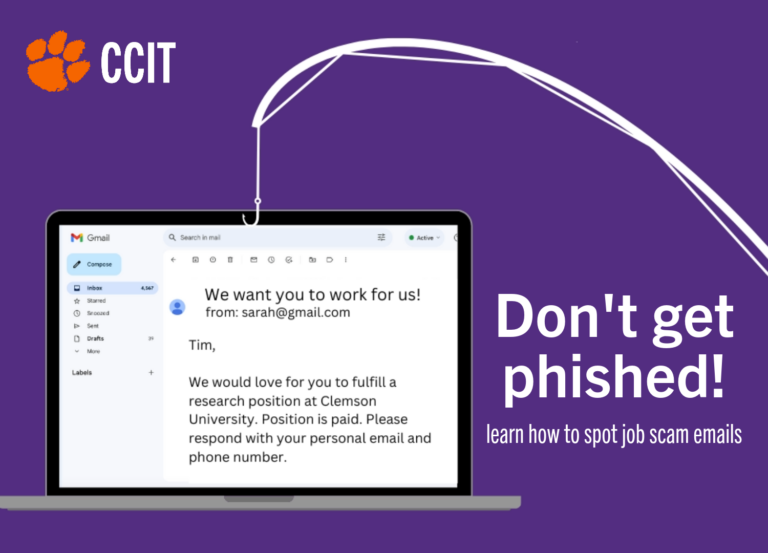
The most frequently occurring type of scam attempt is the “job offer scam” via email. Recently, the attempts present as the “Office of Sponsored Programs” at Clemson, offering a weekly pay of $350 for a fake research position. It follows the typical formula of presenting as a Clemson professor and includes contact information to an @gmail.com account. It is important to understand that professors typically do not reach out with opportunities in this manner. To read more about this recent phishing attempt to Clemson students, visit this link.

It is essential that if you receive a suspicious email, you practice the following safety precautions before responding:

  • Check to see if the sender’s email address is actually a Clemson email. A phishing attempt will most likely come from an outside email address, though this can be easy to miss.
  • Clemson faculty will not typically reach out to students on campus with internship or job offers in this manner.
  • To check if an email is legitimate, contact the sender through a reliable source such as the online phonebook.
  • Best practices include checking for grammatical or spelling errors, generic addressing of the email (“Dear Student”), calls for immediate action or response with personal information, and not opening email attachments or website links if you are not certain who the sender is or suspect a scam.
  • Visit the Cybersecurity Alerts page to learn more about specific threats and scam attempts.
  • Report any suspicious email to phishing@clemson.edu.

Important CCIT Updates from Summer

Welcome back, Tigers! 

A lot happened in CCIT this summer and this short update might make it easier to navigate some of the changes. 

Kronos single-sign on and Duo 

On July 21, 2023, Kronos, Clemson’s timekeeping/leave tool joined a host of other applications and platforms secured through single-sign on and DUO mobile. If you already downloaded and used DUO before, there are no additional steps or changes with this security update. If you need to manage your devices or have other questions about two-factor authentication, please visit this website

buyWays transitions to single-sign on and Duo

On August 21, 2023, buyWays, Clemson’s eProcurement tool, joined other applications and platforms secured through single-sign on and DUO mobile. This is the new link to access buyWays. Questions can be emailed to cubuyWays@clemson.edu

Google Workspace

Over the summer, Alumni using g.clemson.edu or clemson.edu were notified their accounts (including email and storage) will be removed in May 2024. Students enrolling in Spring 2024 and beyond will use email through Microsoft Outlook, and over time, CCIT will phase out Gmail to further enhance security for the current campus community. For now, current staff, faculty, and students will not experience any changes to Google Workspace. More information is available on this webpage

Microsoft Outlook changes

To enhance email security against scams and phishing, Clemson switched to a new Microsoft cloud-based filter. Those using Outlook email will experience minor changes, including the yellow warning banners and the ability to view and release some of the quarantined emails the filter flags as suspicious or malicious. To learn more about this process, visit this page

Adobe Stock 

Access to millions of high-quality, royalty-free images and assets from Adobe Stock is now available to Clemson students, faculty and staff as part of Clemson’s updated agreement with Adobe. In addition to the dozens of apps, fonts and services currently available via the Creative Cloud suite, Clemson users now have unlimited access to Adobe’s standard stock assets, including more than 300 million photos, vector graphics, and illustrations, which can be used in printed materials, websites, presentations, videos, social media, and other creative work. Click here to learn more. 

Changes to people.clemson.edu and sites.clemson.edu web spaces

CCIT has begun the second phase of upgrading the architecture for the web-accessible people.clemson.edu and sites.clemson.edu servers because the current system has reached end-of-life; the first phase was completed in February 2023. If you are an administrator of one of these sites, you should receive an email from CCIT regarding this upgrade. Please review your website using the instructions found in your email and make any necessary changes prior to the planned go-live dates.

Data security concerns with AI systems like ChatGPT

Clemson is committed to protecting the privacy of its students, alumni, faculty, and staff, as well as protecting the confidentiality, integrity, and availability of information. A recent disclosure of sensitive data and information by engineers at a large technology company into ChatGPT sheds light on the potential for the disclosure of sensitive information at institutions like Clemson to an AI developer. This article identifies information you should think twice about submitting to ChatGPT. 

Reminder: Subscribe to Status Hub

If you, your coworkers, or your students have ever wondered whether there is an electrical outage, wifi issue, or platform problem, there is a way to check the status in real-time. On this website, you can choose to “subscribe” for emails and text messages that alert you to system outages, issues, and their resolution across campus and campus partners in the state. You can also only subscribe to service-specific notifications like Canvas. 

Research Job Scam

With the beginning of the Fall semester, Clemson students are being targeted again with a phishing email offering a fake job. The current scheme pretends to be from the Office of Sponsored Programs. And it offers a phony Research Position with a weekly pay of $350.

Here are the indicators that this is not a legitimate email:

  • The sender’s email address is not a “Clemson.edu” address. And they even ask you to respond to a different external Gmail email address.
  • Clemson Faculty will not typically reach out to our students with internship or job offers in this manner.
  • The email has a sense of urgency stating that there are limited slots for this position. They are actually hoping that you won’t be thinking clearly, if you are in a rush.
  • Plus they are prompting you to give them personal information, which they could use in a later attack. And they are wanting you to use an alternate personal email so that Clemson can’t block it.
A screenshot of an email that was sent to a student that contains information about a fake research job. There are red circles circling the sender showing it is external and another circle highlighting the phrase 'Slots are limited'. There is also a red rectangle showing that the student needs to contact an external user with personal information.

If you receive an email such as the one above, please report it to the Clemson Security Operations Center by forwarding the email to phishing@clemson.edu or by using the Report Phishing button in Outlook.