We now offer Fiercely Forward hero banners for your department landing pages in Cascade. Follow the instructions below or watch the recording of the web managers meeting at the end of this post where we walked through the process.
Instructions
Start by editing the Options block in the directory where you’re setting up the Fiercely Forward Hero section. Under Theme Options, select “Fiercely Forward” as the theme, then click Submit to save your changes.

Next, open your site’s index page. In the Page Theme Options group, select “Yes” for the question “Display Fiercely Forward header on this page?” This will reveal the Fiercely Forward Interior Hero Banner group.
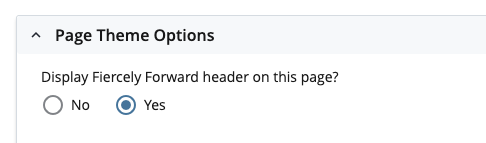
Complete the fields in this section to display the new Fiercely Forward header style on your divisional homepage.

Best practices:
Select an Image Overlay Color that complements your site’s color theme, or use “Regalia Purple” to stay consistent with other Fiercely Forward banners.
Choose a banner background image that doesn’t distract from the main image.
Use transparency (alpha) in the main image to add visual interest.
